
Many students in Rajasthan face scholarship payment delays even after their application shows as submitted. This often happens in schemes like Pre-Matric Scholarship and Balika Shiksha Protsahan. The form may look complete, the school may have submitted the details, but the payment does not reach the student’s bank account.
In many cases, the reason is simple:
the Jan Samarth mobile number is not verified on the Shala Darpan BSP Portal, or the data has not been locked by the school.
This guide explains how to link Jan Samarth mobile on Shala Darpan BSP Portal, why this step is important, what mistakes block the process, and why an application may still remain pending even after the success message appears.
Why Jan Samarth Mobile Link Is Mandatory
Shala Darpan’s BSP Portal, also called the Beneficiary Scheme Portal, is used by Rajasthan schools to manage student benefit schemes and scholarships.
Jan Samarth Portal is a central government platform used for national-level financial and education-related schemes. It helps connect students, banks, and government benefit systems.
When both systems do not match the student’s registered mobile number, the scholarship payment may not move forward.
How Mobile Number Works as an Identity Link
Earlier, state and central schemes worked on separate systems. A student could be eligible for a Rajasthan scholarship and also for a central education benefit, but both portals could not always verify the same student properly.
The Jan Samarth and BSP integration helps solve this problem. The mobile number works like a common identity key between these records:
- Shala Darpan BSP Portal
- Jan Samarth Portal
- Jan Aadhaar record
- Scholarship DBT system
- Student bank payment tracking
If the mobile number is not linked correctly, the school in-charge may not be able to forward the application to the DEO office.
Check These Details Before Opening BSP Portal
Before linking the mobile number on the Shala Darpan BSP Portal, make sure the student’s data matches in three places. Most OTP errors and Invalid Mobile Profile errors happen because the data is different in one of these records.
Jan Aadhaar Record
In Rajasthan, Jan Aadhaar is the main identity record for students and families.
The student’s or parent’s mobile number must be linked with Jan Aadhaar through E-KYC.
If the mobile number is not updated in Jan Aadhaar, visit an E-Mitra center first. Ask them to update the mobile number in Jan Aadhaar and verify it through Aadhaar OTP.
Do not start the BSP process until Jan Aadhaar mobile seeding is complete.
Shala Darpan Format 9 Student Profile
The school must also check the student’s Format 9 record in Shala Darpan.
The mobile number and Jan Aadhaar ID entered in Format 9 must match the Jan Aadhaar record exactly.
Even one wrong digit can stop the Jan Samarth mobile verification process.
If the number is wrong in Format 9, ask the school in-charge to update it before trying again.
Jan Samarth Profile
If the student or parent has already registered on jansamarth.in, check the mobile number there too.
Go to: jansamarth.in -> Login -> Profile Section.
The mobile number in the Jan Samarth profile should match the number used in Jan Aadhaar and Shala Darpan Format 9.
If an old mobile number is shown, update it and complete OTP verification first.
How to Link Jan Samarth Mobile on Shala Darpan BSP Portal
Once all three records match, the school can start the linking process on the BSP Portal. This process is usually done through the school login. Students or parents do not directly complete this step from their own login.
Step 1: Login to Integrated Shala Darpan
Open the official Shala Darpan website: rajshaladarpan.rajasthan.gov.in.
The school in-charge or authorized staff member should log in using official credentials.
This process is usually handled through the In-Charge Login or Staff Window.
Step 2: Open the BSP Section
After login, look for the option called Beneficiary Scheme Portal BSP.
Click on it. The BSP dashboard will open.
This dashboard shows student records, scheme status, and scholarship-related details.
Step 3: Select Scheme and Student
Find the student whose mobile number needs to be linked with Jan Samarth.
Select the correct scheme, such as Pre-Matric Scholarship, Balika Shiksha Protsahan, Transport Voucher, or another eligible student benefit scheme.
In the student row, click Verify Jan Samarth Mobile or Link National Credit Portal to continue.
Step 4: Confirm the Consent Pop-Up
A pop-up message will appear. It tells you that the student’s mobile number will be shared with Jan Samarth for verification.
It may also mention that the system will connect with an external government portal.
Click OK to continue. This is a secure process between the Shala Darpan server and the Jan Samarth server.
H3: Step 5: Verify OTP
An OTP will be sent to the registered mobile number.
This OTP is used for Shala Darpan session verification and Jan Samarth identity verification.
After successful OTP verification, the screen will show a Jan Samarth Reference ID. Note this ID carefully because it is proof that the mobile number has been linked successfully.
Step 6: Do Not Forget to Lock Data
This is the most important step.
Many schools stop after seeing the success message, but the application does not move forward until the data is locked.
Return to the BSP dashboard. In front of the student’s entry, click Lock Data and confirm the action.
Locking data means the school has completed its part, and the application is now moving to the DEO verification queue.
If data is not locked, the application remains stuck at the school level.
Common Errors During Jan Samarth Mobile Linking
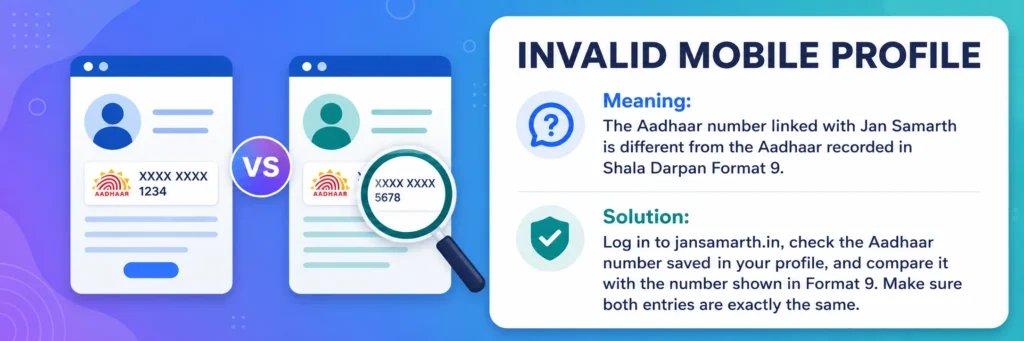
Invalid Mobile Profile
This error usually means the Aadhaar or mobile details on Jan Samarth do not match Shala Darpan Format 9.
What to do: Login directly at jansamarth.in and check the profile details. Compare the Aadhaar number and mobile number with the student’s Format 9 record in Shala Darpan. Both records must match.
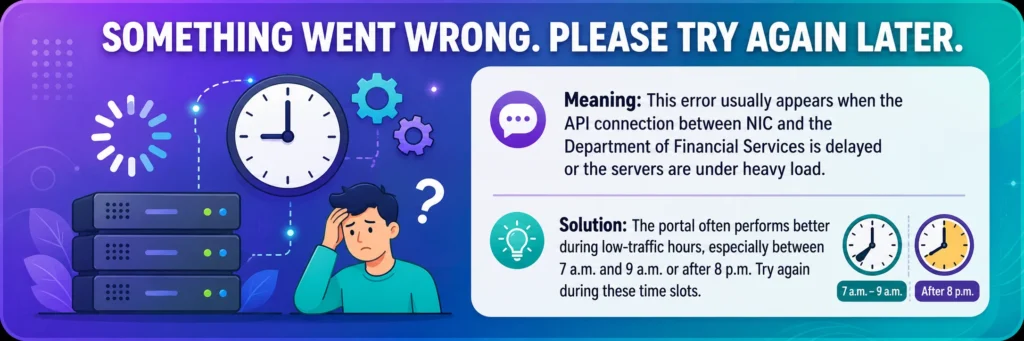
Something Went Wrong. Please Try Again Later
This error usually appears when the server is slow or the API connection between government systems is busy.
What to do: Try again during low-traffic hours. The portal often works better early morning between 7 AM and 9 AM or after 8 PM. Also use the latest version of Google Chrome for better results.
Application Already Submitted 30-Day Block
This means a previous attempt may be stuck in the system. Sometimes a failed or incomplete submission remains in the buffer, and the portal does not allow a fresh process immediately.
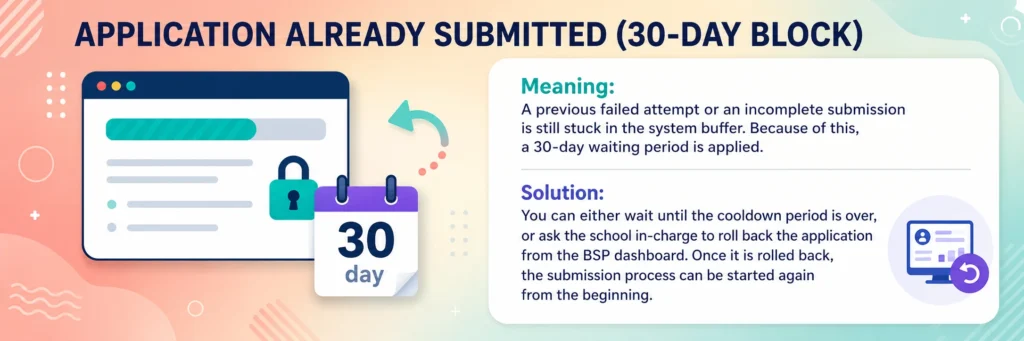
What to do: The school in-charge can check the BSP dashboard and see if rollback is available. If rollback is allowed, the application can be rolled back and started again. Otherwise, the student may need to wait for the block period to clear.
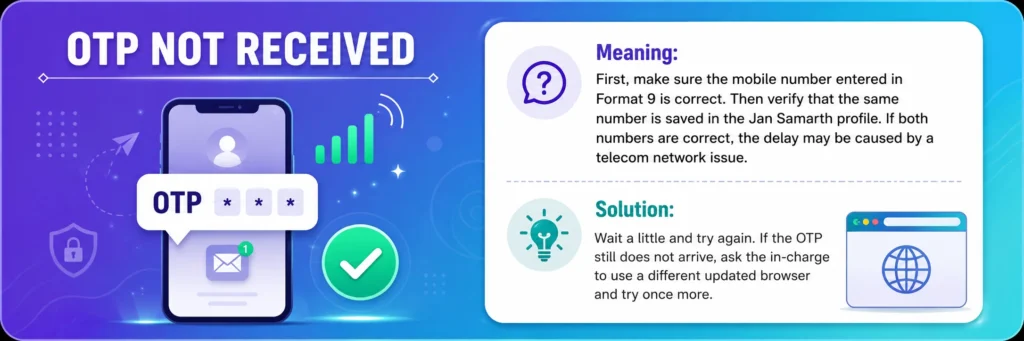
OTP Not Received
This usually happens when the mobile number is wrong, not active, or not matching across records.
What to do: First check the mobile number in Format 9. Then check the same number in the Jan Samarth profile. If both are correct, wait for some time and try again. It may also be a telecom network issue.
Quick Error Table
| Portal Message | Meaning | Action |
| Invalid Mobile Profile | Jan Samarth data does not match Format 9. | Check Aadhaar and mobile in both records. |
| Something went wrong | Server or API may be busy. | Try early morning, after 8 PM, or use updated Chrome. |
| 30-day block | Old failed submission may be stuck. | Check rollback option in BSP dashboard. |
| OTP not received | Mobile mismatch, inactive number, or network issue. | Verify Format 9 and Jan Samarth profile, then retry. |
What Happens After Jan Samarth Mobile Link Is Completed
After mobile linking and data lock, the student’s Shala Darpan identity is connected with the Jan Samarth database. The student may appear as a verified regular student in the connected system.
This helps in scholarship processing, DBT payment, and future education-related scheme verification.
DBT Payment Chain Becomes Active
Once the data is verified and locked, the scholarship payment process can move ahead.
The amount is transferred directly to the student’s bank account through DBT.
Payment status can often be tracked through the PFMS portal using registered details.
CSIS Eligibility Becomes Easier in Future
If the student later applies for an education loan, the verified student record may help banks check education-related eligibility more easily.
For schemes like Central Sector Interest Subsidy, a verified student history can support faster processing.
State and Central Scheme Data Gets Matched
After successful linking, Rajasthan state scholarship records and central portal records work with the same identity.
This reduces duplicate applications, wrong student identity, mobile mismatch, Aadhaar mismatch, and delayed scholarship payment.
Important Safety Tips for OTP and Mobile Data
- Never share OTP with anyone on phone.
- Shala Darpan or Jan Samarth officials will not call and ask for OTP.
- If someone calls and asks for OTP, disconnect the call immediately.
Be Careful at E-Mitra Centers
- If you are completing the process at an E-Mitra center, watch the screen yourself.
- Do not hand over your mobile phone completely to anyone.
- Only use official websites: rajshaladarpan.rajasthan.gov.in and jansamarth.in.
- Do not enter student details, school login, Aadhaar number, or OTP on any third-party website.
For School In-Charge: Bulk Jan Samarth Mobile Linking
If one school needs to link Jan Samarth mobile numbers for 40 to 50 students, avoid doing everything during peak hours.
Server timeout errors are common when too many schools are using the portal at the same time.
Start early in the morning if possible. Process students in small batches of 10 to 15.
After every successful linking, click Lock Data and note the confirmation or reference number.
Before sending data to the DEO level, check that every student’s status shows Locked. Do not rely only on Verified. The correct final school-level status should be Locked.
Final Words
The Jan Samarth mobile link on Shala Darpan BSP Portal is a small technical step, but it plays a big role in scholarship payment.
The system simply wants to confirm that the scholarship benefit is going to the correct eligible student.
To avoid delays, schools should make sure Jan Aadhaar mobile is updated, Shala Darpan Format 9 data is correct, Jan Samarth profile uses the same mobile number, OTP verification is completed, and data is locked on the BSP Portal.
Once these steps are done correctly, the scholarship application can move forward from the school level to the DEO verification process without unnecessary delay.
H3: Final Checklist
- Jan Aadhaar mobile is updated.
- Shala Darpan Format 9 data is correct.
- Jan Samarth profile uses the same mobile number.
- OTP verification is completed.
- Lock Data is completed on the BSP Portal.